


Live Launcher Lite-3Dwallpaper
4.01.10K Reviews
App Specs
- Version
- 3.6.2
- Updated On
- License
- Free
- Downloads
- 1,000,000+
- Developer
- LiveLauncher
- Categories
- Personalization
- Platform
- Android, iOS
Screenshots
 Analysis by AppCompare
I approach a new launcher with one practical question: can I make the home screen feel more like mine without turning setup into a project? Live Launcher Lite-3Dwallpaper is aimed at people who want a more colorful Android home screen, with visual changes and everyday launcher tools in the same place. I’d treat it as a personalization choice rather than a must-have utility: the appeal is strongest if you enjoy changing how your phone looks and are willing to spend a little time getting comfortable with a different layout.
What to expect from a launcher built around visual change
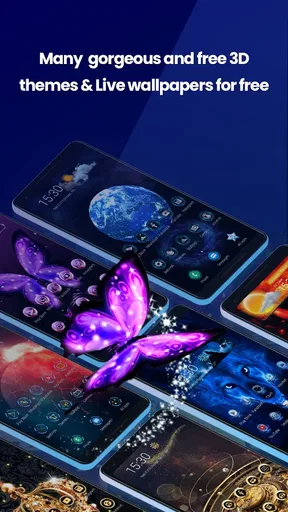
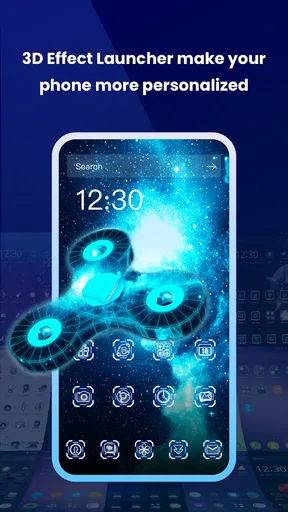
A launcher can affect the part of your phone you see most often, so even a wallpaper change can make a device feel noticeably different. Here, the focus is on 3D wallpapers, alongside home-screen organization and gesture controls. That mix gives you more to explore than a wallpaper picker alone, though it also means the experience depends on whether you want your home screen itself to work differently.
The app is free, is listed for everyone, and is developed by LiveLauncher. It has a 4.3 average from around 7,000 ratings, with about 1,000 written reviews and over a million installs. Those figures suggest that it has found an audience, but they don’t tell you whether its look or controls will suit your habits. I’d use them as context, not as a substitute for trying the layout on your own phone.
It is a personalization app, currently at version 3.6.2, and it runs on Android 7.0 or later. That makes it relevant to a wide range of Android devices, but the actual feel of a launcher can still vary from phone to phone. If you use Android and want a more expressive home screen, it is worth considering; if you’re on iOS, this isn’t the route to changing your system launcher.
Make the first setup feel manageable
When you install it, take a moment to look around before changing everything at once. Start with the wallpaper: choosing one clear favorite gives you a simple way to judge the app’s visual style. Then check how your familiar apps appear and whether the home screen still feels easy to scan. I find this gradual approach more useful than making several changes and then trying to work out which one made the phone feel unfamiliar.
When Android asks you to choose a home app, pause and read the options on screen. Selecting a launcher as the default can change what appears when you press Home, but it does not mean you have to commit forever; you can return to your phone’s usual launcher through its system settings. The wording and route can differ by device, so follow the prompts your phone actually shows rather than relying on a universal set of taps.
For a first meaningful result, pick a wallpaper, place the apps you reach for most somewhere easy to find, and use the home screen for a normal day. That small test answers the questions that matter more than a dramatic initial makeover: can you read the icons against the background, reach your regular apps quickly, and comfortably return to the screen you expect? If one answer is no, adjust one thing at a time.
Worth Reading Before You Choose

EA SPORTS FC Mobile 26 Is a Bigger Football Game, but It Takes Time

Flipboard Shows What News Apps Must Do Beyond the Feed

Switching to Android Auto Means Rethinking Your Driving Routine

Google Calendar Makes a Crowded Week Easier to Manage

Ludo King Makes the Most of the Minutes Between Plans

Baby Panda World Brings Quick Play to Modern Phones, but Its Game Library Feels Busy
Getting comfortable with the everyday details
I’d use this section to judge the home screen by how it holds up during ordinary tasks, not just by how striking a wallpaper looks on its own. A useful next check is to notice whether your most-used apps remain easy to spot and whether any gesture feels natural after repeated use. From there, it’s easier to decide which small adjustment is worth trying next.
Keep the look useful, not just eye-catching
From the moment I opened Live Launcher Lite-3Dwallpaper, I was hit with a burst of color and energy. The app is super user-friendly, making it easy even for the less tech-savvy among us to navigate. The interface is clean, and I didn’t feel overwhelmed with too many options right off the bat. It’s like the app knows how to keep things simple yet exciting.
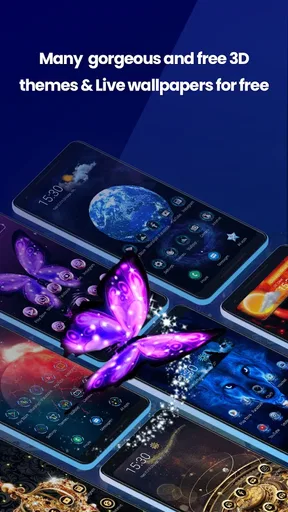
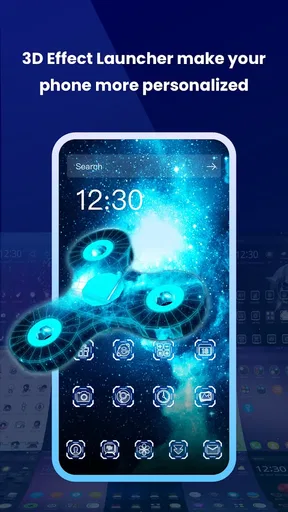
Now, onto the juicy details. The app boasts an impressive collection of 3D wallpapers that are ready to make your phone pop. From mesmerizing landscapes to funky abstract designs, there’s something here to catch everyone’s eye. I found myself swapping wallpapers more often than I’d like to admit because, honestly, they’re just that cool.
But it’s not just about looks. The app is lightweight, meaning it won’t eat up your phone’s resources. It ran smoothly on my device without any noticeable lag, which is a huge plus for an app that’s so visually intense. No one wants their phone to slow down just to look pretty, right?
Try controls in ways that fit your routine
One feature that really caught my attention is the gesture controls. It’s like adding a touch of magic to your interactions. You can customize gestures to open apps or perform specific actions, which really enhances the user experience. It felt like my phone was catering to my every whim, which was a nice touch.
My advice is to assign only a gesture you can remember and that won’t collide with a motion you already use by habit. For example, test a gesture for opening one frequently used app, then see whether you still trigger it intentionally after a few days. A clever shortcut is only helpful if it becomes reliable muscle memory; too many custom actions can make a simple home screen harder to predict.
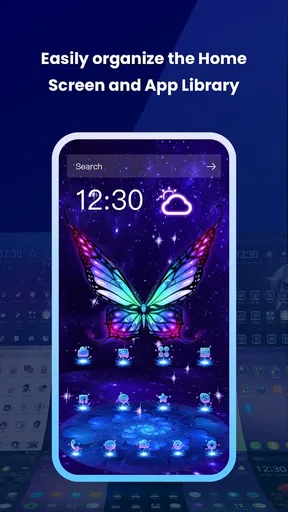
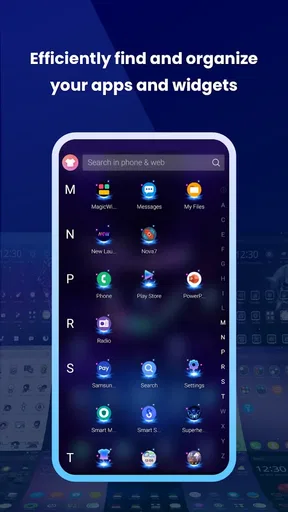
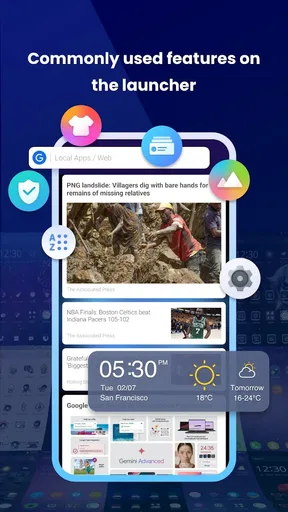
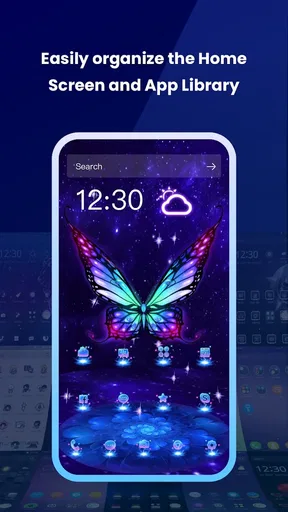
Another highlight is the app’s ability to organize your apps efficiently. The smart folder feature helps keep everything neat, making it easy to find what you need in a flash. If your home screen is crowded, try grouping less-used apps so the first page stays focused on daily essentials. Keep anything you need urgently visible until you know the folder arrangement works for you; tidiness is not much help if it adds extra taps to a task you do all the time.
A realistic way to judge the setup is to use it during a busy morning. You might unlock your phone to check a message, open a calendar or travel app, and then switch to music before leaving. Notice whether the wallpaper makes icons harder to spot, whether the gesture you chose is easy to repeat, and whether the folder structure saves time. This ordinary sequence is a better test than browsing settings while you have unlimited time.
Know where the trade-offs matter
Live Launcher Lite’s combination of visual customization and launcher tools distinguishes it from using a static wallpaper with your phone’s usual home screen. A standalone wallpaper option is a better fit if you only want a background change and prefer not to learn a new launcher layout. On the other hand, someone who wants to rearrange app access as well as refresh the screen may appreciate having both elements together.
The main trade-off is familiarity. A new launcher can alter the way you reach apps and interact with Home, so anyone who depends on a carefully established layout should make changes gradually. I’d also be cautious about assuming that a visually rich background will suit every screen: bright detail can compete with labels and icons. Pick a wallpaper that looks good behind your actual app arrangement, not just by itself in a preview.
If your priority is a highly restrained interface, minimal visual movement, or keeping every part of your phone exactly as it is, the usual launcher may be the better choice. Likewise, if you want deep control over every visual detail, compare the customization options with other launchers before switching; this app’s appeal is its accessible blend of colorful presentation and practical features, not a promise that it will match every specialist preference.
One sensible way to reduce friction is to change only the background first and keep your usual app positions. After you know the new screen is comfortable to read, try a folder or a single gesture. If something feels wrong, undo that one change rather than rebuilding the whole setup. This makes it easier to identify what you like and gives you a straightforward path back to a familiar arrangement.
My recommendation after living with the idea
So, is Live Launcher Lite-3Dwallpaper worth a download? In my book, absolutely. It’s a fun, fresh way to breathe new life into your device without compromising performance. The app strikes a nice balance between aesthetics and functionality, which can be a rare find in the world of launchers.
If you’re looking to spice up your phone’s look and add some nifty features while you’re at it, give this app a shot. It might just become your new favorite way to express your style through your smartphone.
I’d recommend it most to Android users who enjoy trying new wallpaper styles, want a more personal-looking home screen, and are curious about gesture shortcuts or smart folders. It is less compelling for someone who never changes their background, dislikes adjusting to a different launcher, or needs a very specific setup before they are comfortable using their phone. Since it is free, trying it is a low-commitment way to see whether its approach fits, but your time and familiarity still matter.
Before settling in, check that your essential apps remain easy to reach and that you know how to switch back to your previous home app. Then live with the new arrangement through a normal day instead of judging it only by its first impression. If the colorful look makes you smile and the shortcuts genuinely help, keep it; if you find yourself working around the layout, returning to your phone’s standard launcher is a perfectly reasonable choice.
Pros
- Smooth and fast interface.
- Wide variety of 3D wallpapers.
- User-friendly customization options.
- Low resource consumption.
- Regular updates with new features.
Cons
- Some ads can be intrusive.
- Limited free themes available.
- Requires internet for some features.
- Battery drain on older devices.
- Occasional minor bugs.
FAQs for Live Launcher Lite-3Dwallpaper
What is Live Launcher Lite-3Dwallpaper?
Live Launcher Lite-3Dwallpaper is a customizable Android launcher that enhances your smartphone experience with dynamic 3D wallpapers and a sleek, user-friendly interface. It offers a variety of themes and widgets to personalize the look and feel of your device, while optimizing performance to ensure smooth operation.
How do I customize my home screen with Live Launcher Lite-3Dwallpaper?
To customize your home screen, simply long press on the home screen to access the customization menu. From there, you can choose from a selection of 3D wallpapers, themes, and widgets. You can also rearrange app icons and create folders for better organization, making your device uniquely yours.
Does Live Launcher Lite-3Dwallpaper affect battery life?
Live Launcher Lite-3Dwallpaper is designed to be lightweight and efficient, minimizing its impact on battery life. While dynamic wallpapers and certain features may use more power, the app includes optimizations to ensure your device remains power-efficient. Users can adjust settings to balance performance and battery usage.
Is Live Launcher Lite-3Dwallpaper compatible with all Android devices?
Live Launcher Lite-3Dwallpaper is compatible with most Android devices running Android 5.0 and above. However, performance may vary depending on the device's hardware specifications. It is recommended to check the app's compatibility with your specific device on the Google Play Store before downloading.
Are there any in-app purchases or advertisements in Live Launcher Lite-3Dwallpaper?
Live Launcher Lite-3Dwallpaper is free to download and use. However, it may contain in-app purchases for additional themes and premium features. The app also includes advertisements, but users have the option to purchase an ad-free version for an uninterrupted experience.


